

Nusuk Registration Process
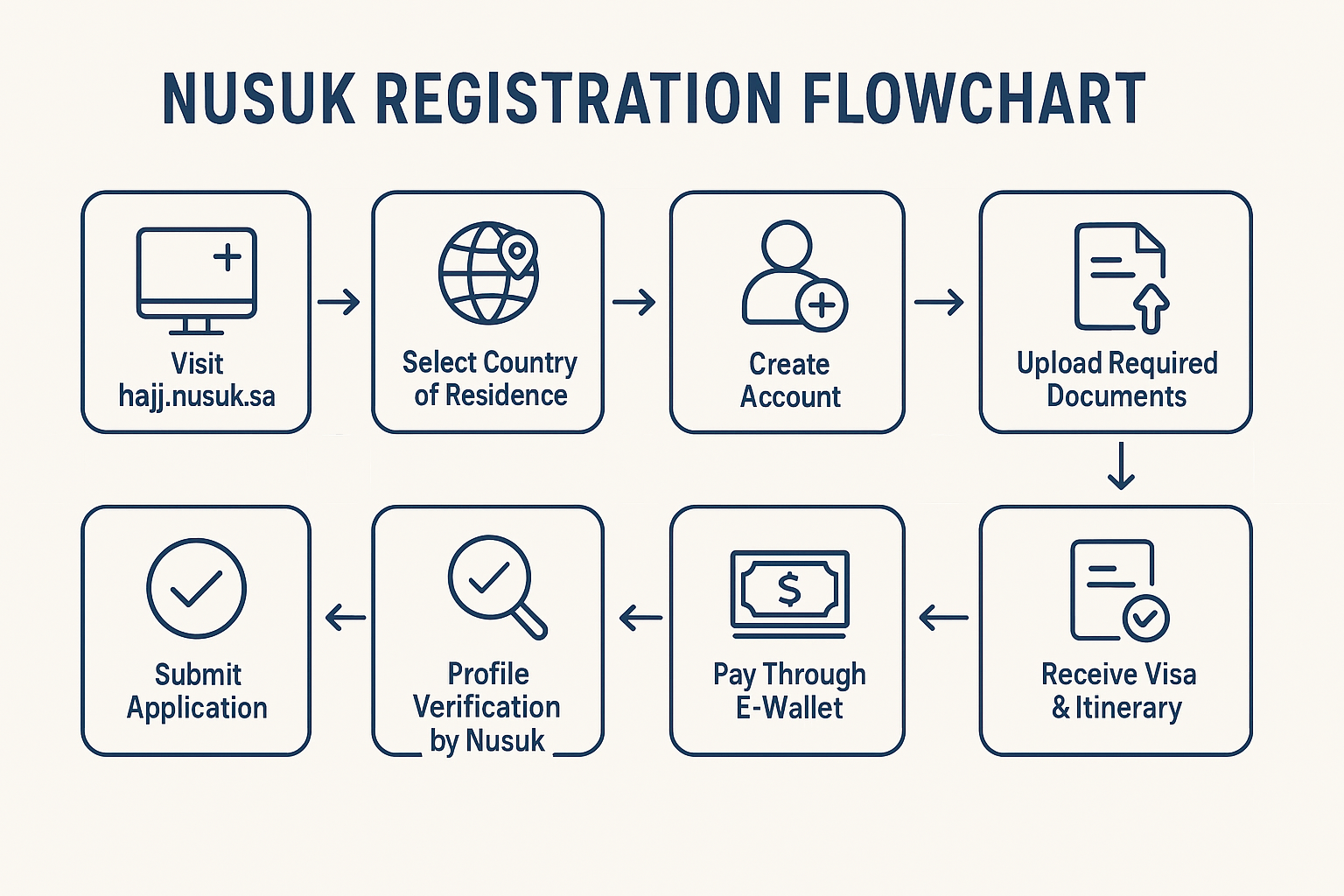
1. Go to the official Nusuk Hajj site
Visit:
https://hajj.nusuk.saClick: “Start Registration” or similar button on the homepage.
Select: Your country of residence and confirm the selection.
2. Create your Nusuk account
Enter email: Use a personal, unique email for each applicant.
Receive OTP: Nusuk sends a 6‑digit code to your email.
Verify email: Enter the OTP to confirm.
Set password: Create a strong password that meets Nusuk’s on‑screen requirements.
Login: Use your email + password; Nusuk may send a fresh OTP each time you log in.
3. Upload required documents
Prepare clear, resized images before uploading:
Passport: Biodata page, valid at least 6 months beyond Hajj dates.
Personal photo: Passport‑style, usually white background.
Proof of residence: If you’re not a citizen of your residence country (e.g., Green Card, visa).
Technical details often required:
Formats: JPG or PNG only (no PDF/DOC).
Suggested sizes:
Passport: around 800 × 400 px
Photo: around 200 × 200 px
Make sure all details match your passport exactly.
4. Complete the Hajj application form
You’ll be asked for:
Personal details: Name, DOB, nationality (auto‑extracted from passport—double‑check).
Contact info: Phone number with country code, email.
Address: Full residence address and nearest Saudi embassy/consulate.
Social status & occupation: Self‑employed, student, retired, etc.
Health info & accessibility needs: Any conditions, wheelchair needs, etc.
Arrival preferences: Approximate dates and city of arrival if requested.
Submit the form when everything is accurate.
5. Wait for profile verification
Nusuk reviews your documents and details.
You’ll get an email notification when your profile is verified.
Only after verification can you see and book Hajj packages.
6. Choose your package category
Once verified, you’ll see categories like:
Standard
Premium
Luxury
These differ in hotel level, distance to Haramain, meals, transport, and Mashair services.
7. Activate and top up your e‑wallet
Nusuk uses an integrated e‑wallet for payments.
Activate the wallet in your profile.
Top up via bank card/transfer as allowed in your country.
You must have enough balance before confirming a package.
8. Browse authorized service providers
Only accredited Hajj operators appear inside Nusuk.
You can compare:
Hotel locations (Makkah, Madinah)
Mashair arrangements (Mina, Arafat, Muzdalifah)
Meals, transport, guidance, flights/visa inclusion
9. Select and book your package
When booking opens, it’s usually first‑come, first‑served.
Choose your package (e.g., Shifting vs Non‑Shifting, hotel class, services).
Pay fully through your Nusuk e‑wallet.
Once payment is successful, your Hajj quota is reserved and confirmed.
10. Review your final itinerary
After confirmation, carefully check:
Travel dates & flights (if included)
Hotel names and locations in Makkah and Madinah
Mashair details: Tent category, transport schedule
Any add‑ons: Ziyarat, guidance, medical support
Make sure it matches what you intended before you travel.